|
|
|
|
|
|
Answers Database
FPGA Express 2.x: Express ignores SRL instantiations for Virtex designs.
Record #4588
Product Family: Software
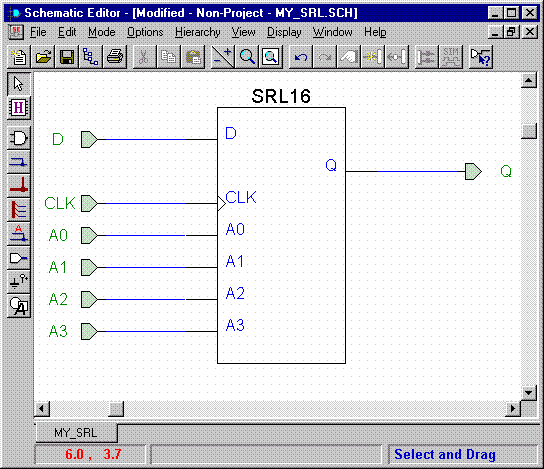
3. Use File -> Save As to save this schematic with a unique name. DO NOT use the same name as one of the SRL macros (or any other library name) and do not use the name of the project. 4. Select Options -> Create Netlist from Current Sheet to write the netlist (an .ALB file). 5. Select Options -> Export Netlist. Make sure the .ALB file listed matches the schematic you have created. DO NOT change directories; save this .EDN file in the current Foundation Project. Click Open to save. 6. Close the schematic editor. Note that the schematic does not show up in the Files tab. Do not add the schematic or .EDN file to this project. Because this macro is to be instantiated as a black box, Express must have no knowledge of the contents of this macro. 7. Instantiate the macro in your HDL code. Use the names of the I/O terminals in the schematic as the port names in your HDL instantiation. 8. Because the .EDN file exists in the project directory, the Translate phase of Implementation will merge this macro with your top-level design. If you would like to use this macro in other designs, simply copy the .EDN file to other project directory. End of Record #4588 - Last Modified: 11/04/99 15:26 |
| For the latest news, design tips, and patch information on the Xilinx design environment, check out the Technical Tips! |